Technology in the classroom is not the end goal, enabling learning everywhere is the goal.'
Andrew Barras
Andrew Barras
With the plethora of free and easy to use web 2.0 tools, schools should well and truly by now have thorough eLearning plans that are:
Therefore, the sections below have been designed to help all stakeholders achieve these goals.
- up to date, inclusive of current trends and curriculum requirements to prepare students, parents and educators with the skills, knowledge and ability to operate in both today's and the future's digital environments
- able to transfer digital and portable learning into the everyday lives of students, parents and educators
- embedded within all levels of the school
- documented
- made readily available to new staff and families entering a school
- exemplar models of schools protecting their eCapital, ensuring that the transition of staff does not result in a loss of knowledge, lessons, activities or skills.
Therefore, the sections below have been designed to help all stakeholders achieve these goals.


Collaborating & Presenting Work Online
Learn to promote your school whilst providing students with opportunities to collaborate and present online.
Visit this section to find how to set up class and school-wide blogs & wikis, project websites, interactive ePortfolios, social networks, online storage, QR codes in Literacy & Art and online management systems.
Image © County of Maui Hawai'i
Learn to promote your school whilst providing students with opportunities to collaborate and present online.
Visit this section to find how to set up class and school-wide blogs & wikis, project websites, interactive ePortfolios, social networks, online storage, QR codes in Literacy & Art and online management systems.
Image © County of Maui Hawai'i
Integrating ICT and Web 2.0 into Learning Areas
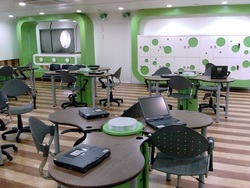
Wanting to implement the latest engaging and exciting ICT ideas into the teaching of English, Mathematics, Science, Geography and Religion (History and Health & P.E coming soon)?
Visit this section to learn how to easily integrate eLearning via various hardware, software, internet-based resources and apps into a teaching and learning approach today.
Image: B.C. CC BY 3.0
Wanting to implement the latest engaging and exciting ICT ideas into the teaching of English, Mathematics, Science, Geography and Religion (History and Health & P.E coming soon)?
Visit this section to learn how to easily integrate eLearning via various hardware, software, internet-based resources and apps into a teaching and learning approach today.
Image: B.C. CC BY 3.0
Hardware Solutions
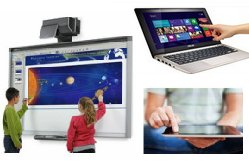
Schools cyclically commit ever-increasing large parts of their budgets towards purchasing various hardware solutions (e.g. PCs, iPads, IWBs). Therefore schools must ensure that the solutions are being utilised to their full potential so that they are preparing staff and students with the ICT skills they need to be active participants in both today's and the future's landscape.
Visit this section to learn how.
Schools cyclically commit ever-increasing large parts of their budgets towards purchasing various hardware solutions (e.g. PCs, iPads, IWBs). Therefore schools must ensure that the solutions are being utilised to their full potential so that they are preparing staff and students with the ICT skills they need to be active participants in both today's and the future's landscape.
Visit this section to learn how.

Software Solutions
Schools shouldn't have to spend money on implementing hardware and software solutions when there are freely available solutions to help compliment/augment virtual existing hardware platforms.
Visit this section to learn how.
Schools shouldn't have to spend money on implementing hardware and software solutions when there are freely available solutions to help compliment/augment virtual existing hardware platforms.
Visit this section to learn how.

Teaching & Learning Through Video Games
"All the classroom's a stage and all the students merely players!" (W. Shakespear: If he was alive today!)
How cool would it be if students could be taught the required curriculum via video games! Well it can be done! Visit this section to learn how to use video games and their structures in classrooms.
Image: Gamesingear CC BY-SA 3.0
"All the classroom's a stage and all the students merely players!" (W. Shakespear: If he was alive today!)
How cool would it be if students could be taught the required curriculum via video games! Well it can be done! Visit this section to learn how to use video games and their structures in classrooms.
Image: Gamesingear CC BY-SA 3.0

Alternative Sources of Funding
Whilst schools are generally reliant on school fees, governments, there are other contributors and approved grant revenue streams that schools can use to purchase hardware or develop programs.
Learn more about these funding alternatives here.
Whilst schools are generally reliant on school fees, governments, there are other contributors and approved grant revenue streams that schools can use to purchase hardware or develop programs.
Learn more about these funding alternatives here.

Extensively Planning a Whole-School or Year-Level Approach To Deliver Effective Curriculum via Interactive Whiteboards/One-To-One iPad or Laptop Programs/IWB Alternatives
Regardless of whether your school has interactive whiteboards, is looking into purchasing them, is researching alternative cost-effective methods or adopting a one-to-one iPad or laptop program, it is vital that year levels, coordinators and heads of school meet all together to extensively plan and create whole year-level technology and methodology rich Literacy and Mathematics unit using their collective expertise.
Visit this section to see an outstanding example of a school in England who does so and how such an approach can have many planned and unexpected positive impacts on schools, teachers and students.
Regardless of whether your school has interactive whiteboards, is looking into purchasing them, is researching alternative cost-effective methods or adopting a one-to-one iPad or laptop program, it is vital that year levels, coordinators and heads of school meet all together to extensively plan and create whole year-level technology and methodology rich Literacy and Mathematics unit using their collective expertise.
Visit this section to see an outstanding example of a school in England who does so and how such an approach can have many planned and unexpected positive impacts on schools, teachers and students.
Want to contribute your thoughts or suggestions about this page?
Tweet


